








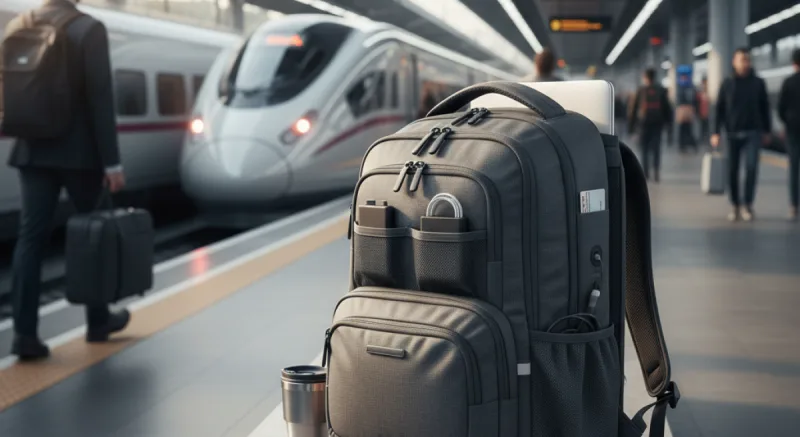


A commuting backpack has one job above all others: get a laptop to work and back without damage, every day, for years. Everything else is a nice extra. Here is how to judge one before you pay for it.
Start with the laptop sleeve. Measure your laptop rather than trusting its screen size, because a 16-inch MacBook Pro and a 16-inch gaming laptop are very different objects. Then look for a sleeve that is padded and suspended, meaning it stops short of the bottom of the bag. When you drop the bag on the floor, the laptop should not hit it.
Next, size. For a commute with a laptop, charger, lunch and a layer, 14 to 20 liters is the useful range. Bigger bags tempt you to carry more, and your shoulders pay for it every day. A bag that stands up on its own when you put it down is worth more than it sounds.
Access matters on trains and buses. A separate laptop compartment you can open without unpacking everything else is the feature to insist on. Clamshell bags that open fully are easy to pack but awkward to dig through while standing.
Look at weather resistance and carry. Coated fabrics and tougher laminates like X-Pac shed rain better than plain nylon. If your commute includes a long walk or a bike ride, a sternum strap and a padded back panel matter more than any number of internal pockets.
Three well-known models show what the range looks like. The Aer Day Pack 3 is a 14-liter bag listed at $159, with a padded, suspended sleeve for laptops up to 16 inches, and an X-Pac version at $189. Bellroy's Transit Workpack is 20 liters, fits a 16-inch laptop, and is designed around a water bottle and a lunch, listed at around $180. The Peak Design Everyday Backpack 20L takes a 15-inch laptop or a 16-inch MacBook Pro and has fold-out dividers, which makes most sense if you also carry a camera.
Skip bags sold on the number of pockets or a built-in USB port. The port is just a cable running to a power bank you supply yourself.
The short version: measure your laptop, insist on a suspended sleeve and a separate laptop opening, stay between 14 and 20 liters, and spend the rest of your budget on weather resistance and comfort.